








Product specification Automatic masturbator Kiiroo Keon WiFi Combo Set with FeelStroker insert — stroke 2–5.9 cm, up to 230 spm, USB rechargeable
Description
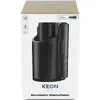
The Kiiroo Keon WiFi Combo Set with FeelStroker is an automatic masturbator designed for realistic stroking sensations and interactive use. The package combines the Keon WiFi device with the original FeelStroker insert to provide synchronized movements that match virtual reality, adult videos, webcam interactions, and connected partners. Keon WiFi’s ergonomic form and wireless connectivity deliver adjustable, automatic strokes while the FeelStroker’s soft silicone tunnel and prominent internal nubs enhance sensation and realism.
Advantages
Keon WiFi supports both Wi‑Fi and Bluetooth for more reliable, real‑time synchronization with interactive content and partner devices. The device offers controllable stroke length with speeds up to 230 strokes per minute, compatibility with multiple accessories and over 30 types of strokers, and an ergonomic grip with customizable settings and plugins. The FeelStroker insert is made from soft silicone designed to amplify movement and increase tactile stimulation.
Suitable for
- Solo interactive sessions with VR and 2D adult content
- Live webcam interaction and cam shows
- Long‑distance intimacy via FeelConnect with a partner
- Users seeking adjustable automated stroking sensations
Key specifications
- Keon materials: ABS, PC, Silicone
- Keon dimensions: Height 230 mm, Width 130 mm, Length 146 mm
- Keon weight: 1.16 kg
- Keon battery: Lithium‑ion 700 mAh (not waterproof)
- FeelStroker materials: ABS, PC, TPE
- FeelStroker dimensions: Height 235 mm, Width 88 mm, Length 88 mm
- FeelStroker weight: 585 g
- FeelStroker: water resistant
- Stroking speed: up to 230 strokes per minute; controllable stroke length
- Connectivity: Wi‑Fi and Bluetooth enabled for synchronization
How to use
Install the FeelStroker insert into the Keon device following the included code card and manufacturer instructions. Charge the Keon’s battery using the supplied USB cable before first use. Turn on the device, connect via Wi‑Fi or Bluetooth to your chosen content source or the FeelConnect app, then select a program or sync mode. Adjust stroke length and speed as needed using the device controls or companion app. Clean the FeelStroker insert and device surfaces according to the manufacturer’s care instructions after each use.
Usage recommendations
Use only body‑safe lubricants compatible with silicone/TPE; avoid silicone‑based lubricants on silicone inserts. Ensure the device is fully charged before longer sessions and keep firmware and companion apps updated for optimal synchronization. Do not immerse the Keon main unit in water; follow water‑resistance guidance for the FeelStroker insert.

