








Product specification Interactive Male Masturbator Kiiroo Keon WiFi — hands-free, app-controlled interactive device
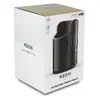
Description
Kiiroo Keon WiFi is an interactive male masturbator with wireless Wi‑Fi connectivity and app control. Designed for hands‑free or partnered use, it supports synchronized interactive content and remote operation via the Kiiroo app. The device combines an adjustable internal sleeve with realistic texture and programmable stroke patterns to provide varied stimulation. Built for compatibility with interactive content and partner control, Keon WiFi is intended for solo sessions or long‑distance intimacy where synchronized motion enhances the experience.
Advantages
Keon WiFi offers hands‑free operation and precise app control, enabling customized stroke speed and intensity. Its wireless connectivity allows remote partners to control the device in real time and to synchronize movements with interactive multimedia. The internal sleeve is designed for comfort and realistic sensation while the device housing provides stable positioning for standing or mounted use. Built materials and the removable sleeve simplify cleaning and maintenance.
Suitable for
- Solo hands‑free masturbation sessions
- Remote intimacy and long‑distance partner control
- Use with interactive videos and synchronized content
- Adjustable-intensity training or edging sessions
Key specifications
- Connectivity: Wi‑Fi for app pairing and remote control
- Control: Mobile app control for speed, stroke patterns and remote access
- Operation modes: Programmable patterns and real‑time partner control
- Design: Hands‑free orientation with stable housing for standing or mounted use
- Internal sleeve: Removable, textured sleeve for realistic sensation
- Power: Rechargeable internal battery for wireless operation
- Compatibility: Works with synchronized interactive content and partner apps
How to use
Before first use, charge the device fully and install the manufacturer’s mobile app. Insert a water‑based lubricant into the removable sleeve and position the device for comfortable hands‑free operation or hold it for manual use. Pair the device with the app via Wi‑Fi following the on‑screen instructions to access speed and pattern controls or enable remote partner access. Adjust intensity, stroke length and program mode from the app; during sessions you can switch modes or pause as needed. After use, remove the sleeve and clean it according to the manufacturer’s care instructions, then allow it to dry fully before reassembly and storage.
Usage recommendations
Use only water‑based lubricants to protect the sleeve material. Ensure a secure Wi‑Fi connection for smooth remote control and synchronized content. Clean the removable sleeve after each use and allow it to dry completely before reattaching. Follow app updates and firmware prompts to maintain compatibility and security for remote sessions.

